About TSC Printer TE 340
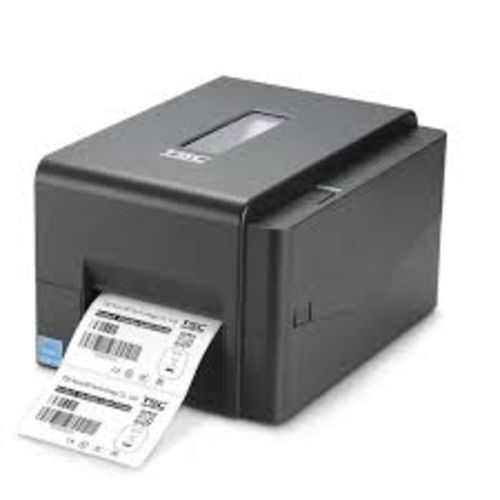
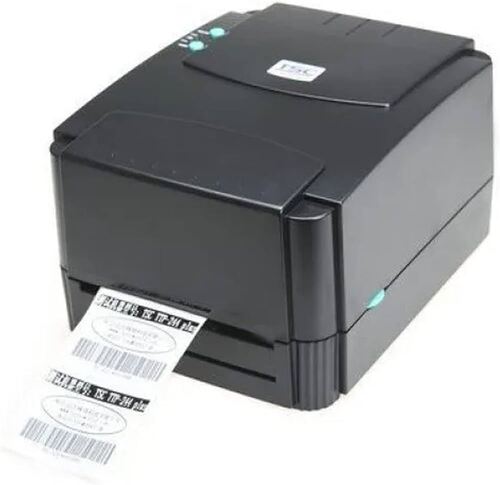
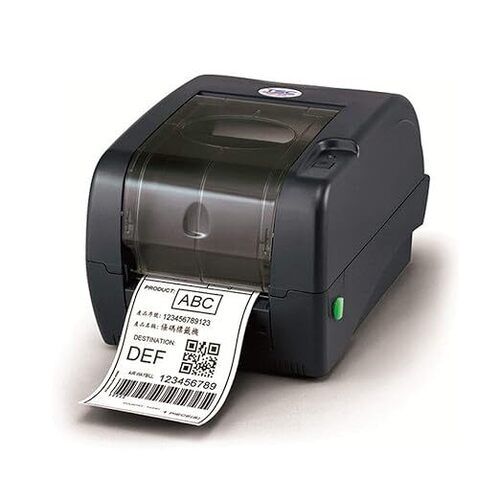
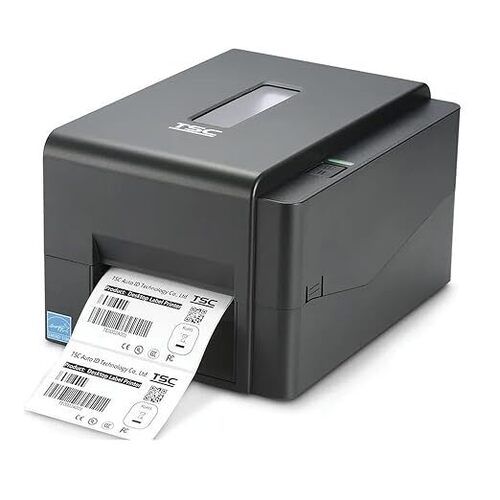
TSC Printer TE 340
Product Specification
| Resolution |
300 DPI (12 dots/mm) |
| Max. Print Width |
6 Inches |
| Max. Print Length |
450 inches |
| Maximum Print Speed |
6 inch/second |
| Printing Method |
Direct Thermal & Thermal Transfer |
| Connectivity |
USB 2.0, Ethernet |
| CPU Type |
64-bit RISC CPU |
| 1D Barcode Types |
YES |
| 2D Barcode Types |
YES |
| Minimum Order Quantity |
1 |
Product Description
The TSC Printer TE 340 Industrial Printer is a printing machine that prints large quantities of cards, tags, and labels. It is perfect for applications where the printing must be done quickly and reliably. The TSC Printer TE 340 features a heavy duty aluminum chassis and a high quality linear carriage with a stainless steel wear-plate. The durable, enclosed design is also great for applications that require a clean environment.
Industrial-Grade Printing PerformanceThe TE 340 delivers professional quality with its 300 dpi resolution, supporting sharp and legible barcode and product labels. Suitable for continuous operation, it meets high-volume printing needs and offers a printing speed up to 127 mm per second. Its robust build is tailored for demanding industrial, commercial, and manufacturing environments, ensuring reliable output day after day.
Flexible Media and Connectivity OptionsThis label printer accommodates various label types, from continuous and die-cut to fan-fold and black mark, handling media thicknesses between 0.06 to 0.19 mm. Its wide connectivity-USB 2.0, Serial, optional Ethernet, and Parallel-ensures easy integration with different systems, making it an adaptable choice for diverse operational settings.
FAQ's of TSC Printer TE 340:
Q: How do I load labels and ribbons into the TSC Printer TE 340?
A: To load labels and ribbons, open the printer cover and insert your media into the designated media roll holder. Align the ribbon roll on its spindle and guide it through the ribbon path as indicated in the user manual. Ensure the sensors are properly adjusted for your label type before closing the cover and resuming operation.
Q: What types of labels can the TE 340 print on, and what is the maximum print width?
A: The TE 340 supports printing on continuous, die-cut, black mark, fan-fold, and notched labels, with a maximum print width of 106 mm (4.25 inches). This flexibility makes it suitable for various labeling requirements, including barcodes and shipping labels.
Q: When should the sensors be adjusted on this printer?
A: The gap, black mark, and reflective sensors should be adjusted when switching between different types or sizes of media. Accurate sensor adjustment ensures precise label detection, preventing misprints and improving print consistency and reliability.
Q: Where can I use the TE 340, considering its environmental specifications?
A: The TE 340 operates efficiently within a temperature range of 5C to 40C and a humidity range of 25-85% non-condensing. For storage, it can withstand temperatures from -40C to 60C, making it suitable for various industrial and commercial settings, including manufacturing floors, warehouses, and offices.
Q: What is the process for connecting the TE 340 to a computer or network?
A: Connect the TE 340 to your system using the standard USB 2.0 or Serial (RS-232) ports. Optional Ethernet and Parallel interfaces are also available for broader connectivity. Install the designated printer driver, configure according to your operating system, and start sending print jobs immediately.
Q: How does the high-resolution printing benefit my labeling tasks?
A: With 300 dpi resolution, the TE 340 produces crisp, detailed barcodes and graphics, reducing scanning errors and ensuring compliance with industry standards. This is especially valuable for healthcare, logistics, or retail where precise label printing is crucial.





 Send Inquiry



 Send Inquiry
 Send Inquiry
 Send SMS